MySQL数据库在Linux下删除的详细介绍
时间:2025/3/2作者:未知来源:盾怪网教程人气:
- [摘要]grep -i mysqlmysql 0:off 1:off 2:on 3:on 4:on 5:on 6:off [root@DB-Server init.d]#3. 收集MySQL对应的文件夹信息...grep -i mysql mysql 0:off 1:off 2:on 3:on 4:on 5:on 6:off [root@DB-Server init.d]#
3. 收集MySQL对应的文件夹信息
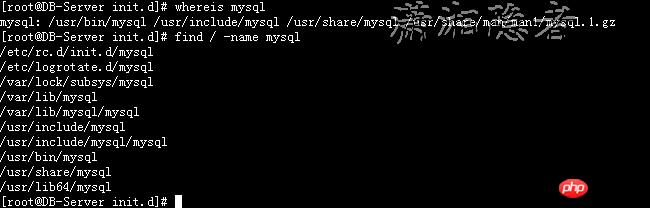
[root@DB-Server init.d]# whereis mysql
mysql: /usr/bin/mysql /usr/include/mysql /usr/share/mysql /usr/share/man/man1/mysql.1.gz
最好实用find命令查看MySQL数据库相关的文件,方便后面彻底删除MySQL。
[root@DB-Server init.d]# find / -name mysql
/etc/rc.d/init.d/mysql
/etc/logrotate.d/mysql
/var/lock/subsys/mysql
/var/lib/mysql
/var/lib/mysql/mysql
/usr/include/mysql
/usr/include/mysql/mysql
/usr/bin/mysql
/usr/share/mysql
/usr/lib64/mysql
4、卸载删除MySQL各类组件
[root@DB-Server init.d]#
[root@DB-Server init.d]# rpm -ev MySQL-devel-5.6.23-1.linux_glibc2.5
[root@DB-Server init.d]# rpm -ev MySQL-server-5.6.23-1.linux_glibc2.5
You have new mail in /var/spool/mail/root
[root@DB-Server init.d]# rpm -ev MySQL-client-5.6.23-1.linux_glibc2.5
[root@DB-Server init.d]#

5、删除MySQL对应的文件夹
检查各个MySQL文件夹是否清理删除干净。
[root@DB-Server init.d]# whereis mysql
mysql:
[root@DB-Server init.d]# find / -name mysql
/var/lib/mysql
/var/lib/mysql/mysql
/usr/lib64/mysql
[root@DB-Server init.d]# rm -rf /var/lib/mysql
[root@DB-Server init.d]# rm -rf /var/lib/mysql/mysql
[root@DB-Server init.d]# rm -rf /usr/lib64/mysql
[root@DB-Server init.d]#
6、删除mysql用户及用户组
如果有必要,删除mysql用户以及mysql用户组。
[root@DB-Server ~]# more /etc/passwd
关键词:MySQL数据库在Linux下删除的详细介绍