HTML完成遮罩层的方法 HTML中怎么使用遮罩层
时间:2024/5/4作者:未知来源:盾怪网教程人气:
- [摘要](document.body && document.body.clientWidth); return winWidth; } /** * 显示遮罩层 */ fu...(document.body && document.body.clientWidth); return winWidth; } /** * 显示遮罩层 */ function showOverlay() { // 遮罩层宽高分别为页面内容的宽高 $('.overlay').css({'height':$(document).height(),'width':$(document).width()}); $('.overlay').show(); } /** * 显示Loading提示 */ function showLoading() { // 先显示遮罩层 showOverlay(); // Loading提示窗口居中 $("#loadingTip").css('top', (getWindowInnerHeight() - $("#loadingTip").height()) / 2 + 'px'); $("#loadingTip").css('left', (getWindowInnerWidth() - $("#loadingTip").width()) / 2 + 'px'); $("#loadingTip").show(); $(document).scroll(function() { return false; }); } /** * 隐藏Loading提示 */ function hideLoading() { $('.overlay').hide(); $("#loadingTip").hide(); $(document).scroll(function() { return true; }); } /** * 模拟弹出模态窗口p * @param innerHtml 模态窗口HTML内容 */ function showModal(innerHtml) { // 取得显示模拟模态窗口用p var dialog = $('#modalp'); // 设置内容 dialog.html(innerHtml); // 模态窗口p窗口居中 dialog.css({ 'top' : (getWindowInnerHeight() - dialog.height()) / 2 + 'px', 'left' : (getWindowInnerWidth() - dialog.width()) / 2 + 'px' }); // 窗口p圆角 dialog.find('.modal-container').css('border-radius','6px'); // 模态窗口关闭按钮事件 dialog.find('.btn-close').click(function(){ closeModal(); }); // 显示遮罩层 showOverlay(); // 显示遮罩层 dialog.show(); } /** * 模拟关闭模态窗口p */ function closeModal() { $('.overlay').hide(); $('#modalp').hide(); $('#modalp').html(''); }
body.html
XML/HTML Code复制内容到剪贴板
<!DOCTYPE html>
<html lang="zh-CN">
<head>
<meta charset="utf-8">
<meta http-equiv="X-UA-Commpatible" content="IE=edge">
<title>body 页面</title>
<style type="text/css">
* {
    margin: 0;
    padding: 0;
}

html, body {
    width: 100%;
    height: 100%;
}

.outer {
    width: 200px;
    height: 120px;
    position: relative;
    top: 50%;
    left: 50%;
}

.inner {
    width: 200px;
    height: 120px;
    position: relative;
    top: -50%;
    left: -50%;
}

.button {
    width: 200px;
    height: 40px;
    position: relative;
}

.button#btnShowLoading {
    top: 0;
}

.button#btnShowModal {
    top: 30%;
}

</style>
<script type="text/javascript">

    function showOverlay() {
        // 调用父窗口显示遮罩层和Loading提示
        window.top.window.showLoading();

        // 使用定时器模拟关闭Loading提示
        setTimeout(function() {
            window.top.window.hideLoading();
        }, 3000);

    }

    function showModal() {
        // 调用父窗口方法模拟弹出模态窗口
        window.top.showModal($('#modalContent').html());
    }

</script>
</head>
<body>
    <p class='outer'>
        <p class='inner'>
            <button id='btnShowLoading' class='button' onclick='showOverlay();'>点击弹出遮罩层</button>
            <button id='btnShowModal' class='button' onclick='showModal();'>点击弹出模态窗口</button>
        </p>
    </p>

    <!-- 模态窗口内容p,将本页面p内容设置到父窗口p上并模态显示 -->
    <p id='modalContent' style='display: none;'>
        <p class='modal-container' style='width: 100%;height: 100%;background-color: white;'>
            <p style='width: 100%;height: 49px;position: relative;left: 50%;top: 50%;'>
                <span style='font-size: 36px; width: 100%; text-align:center; display: inline-block; position:inherit; left: -50%;top: -50%;'>模态窗口1</span>
            </p>
            <button class='btn-close' style='width: 100px; height: 30px; position: absolute; right: 30px; bottom: 20px;'>关闭</button>
        </p>
    </p>
    <script type='text/javascript' src="js/jquery-1.10.2.js"></script>
</body>
</html>
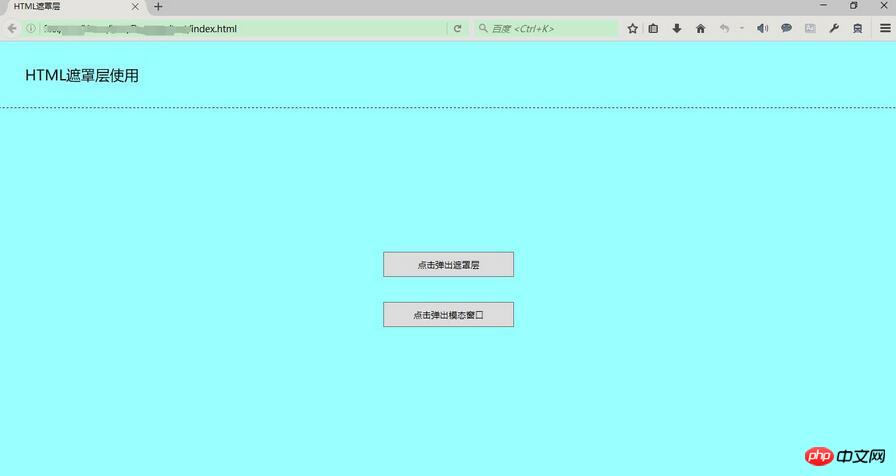
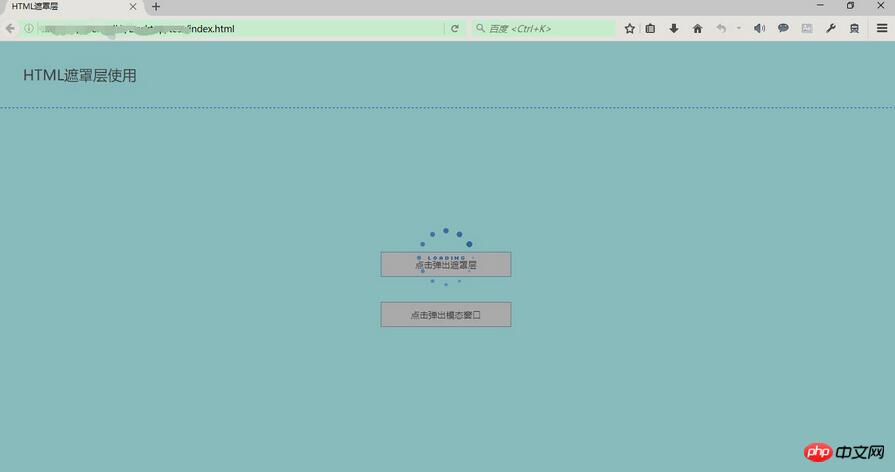
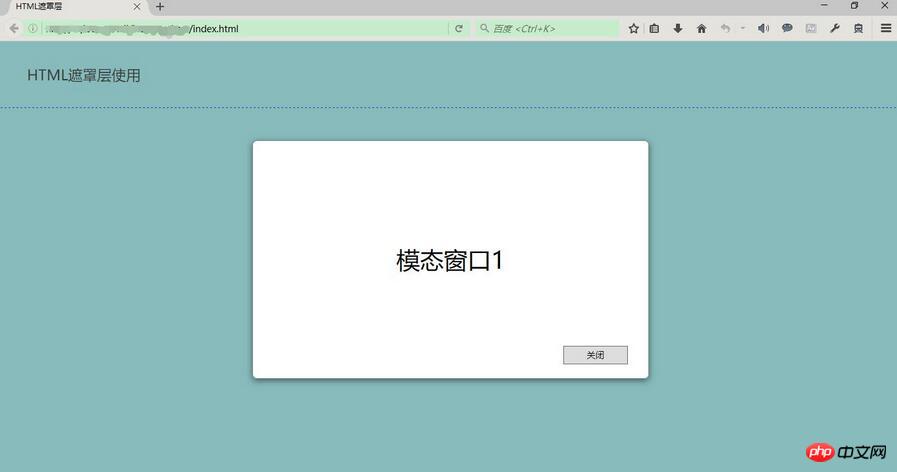
运行结果:
初始化
显示遮罩层和Loading提示
显示遮罩层和模拟弹出模态窗口
以上就是本文的全部内容,希望对大家的学习有所帮助。
相关推荐:
HTML中使背景图片自适应浏览器大小
以上就是HTML实现遮罩层的方法 HTML中如何使用遮罩层的详细内容,更多请关注php中文网其它相关文章!
网站建设是一个广义的术语,涵盖了许多不同的技能和学科中所使用的生产和维护的网站。
关键词:HTML完成遮罩层的办法 HTML中如何运用遮罩层